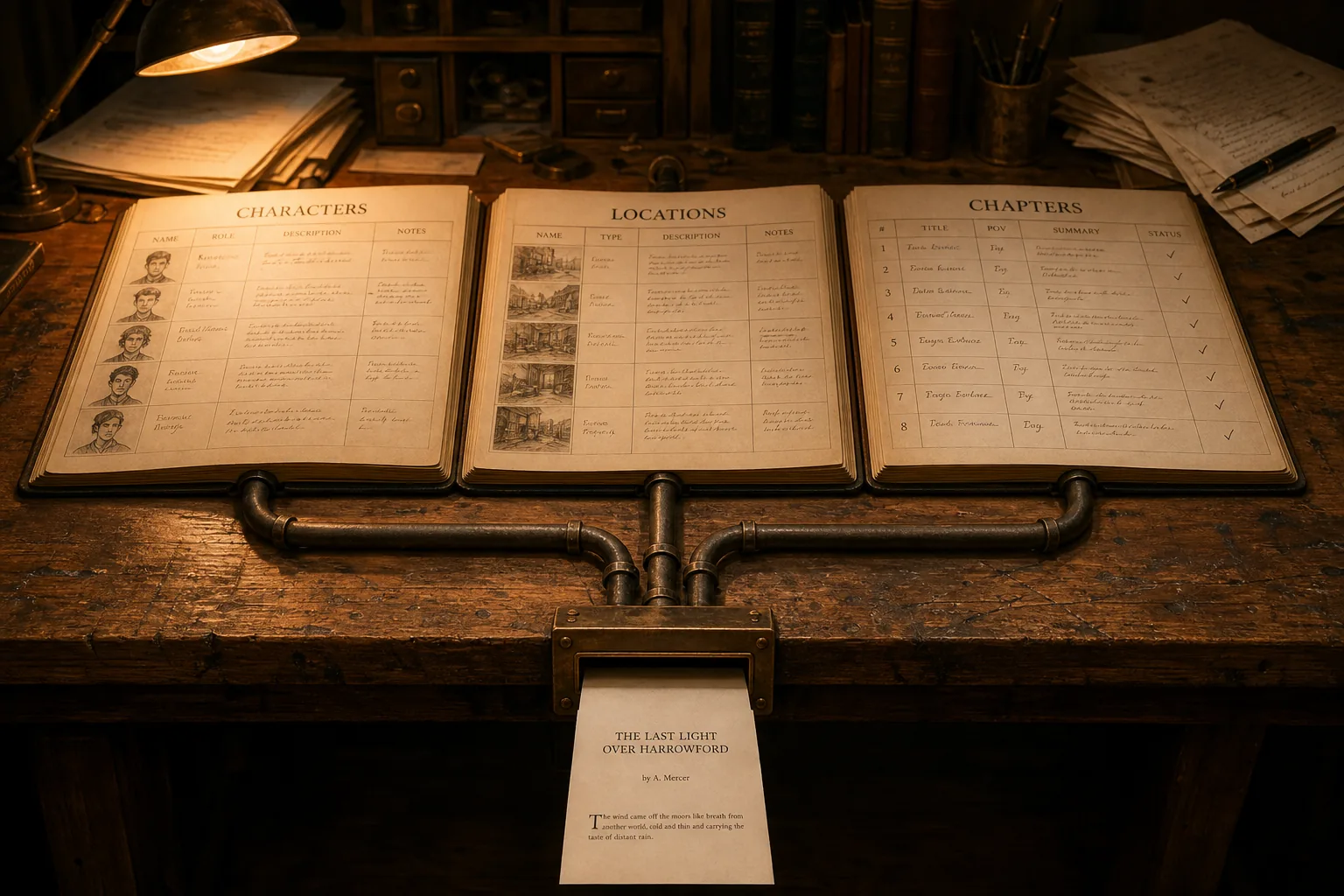
One command. Three files. Every character row from your character sheet, every location record from your location sheet, every chapter brief from your chapter tracker, all of it in JSONL, structured for the context window, ready to deploy with a single Claude tool call instead of a manual paste at the top of every session.
That is what the schemas were always building toward.
Six prior posts in this publication built the components: the character schema, the voice contract, the imageprompt field, the location schema, the standards document, the chapter schema and the pre-write brief.
Each one earned its own essay because each one solves a discrete continuity problem on a long-running project.
What none of those posts shipped was the wire that connects them. The schemas have always been queryable in principle, with the column names pointing at each other and the FK relationship between chapters and locations sitting in the workbook waiting to mean something to a system that could traverse it instead of a human eye scanning rows. They have not been queryable in practice. A spreadsheet is not an interface your AI can call.
This post is the wire.
Two Ways To Do This
Before we get into the pipeline, a decision point.
There are two ways to put your writing room data in front of your AI.
Option 1: JSONL. Export your workbook to JSONL. Attach the output files to your Claude session, paste them into the context window, or reference them in your system prompt. Claude reads structured data. It will use the records. No database, no server, no additional tooling. If your project is small or you want to get started today with no setup, this is your path.
Option 2: SQLite database with MCP. Export to JSONL, import into a SQLite database, and run a local MCP server that exposes the database to Claude as queryable tools. Claude can ask for a specific character by name, search every chapter by POV, or run a full-text search across all three tables in one call, without you attaching anything. The data is always current, always available, and Claude never touches the source.
I recommend Option 2.
JSONL in the context window works until it does not. A dozen characters and a handful of locations fits fine. Fifty characters, thirty locations, and two hundred chapters does not.
Context windows are large but not infinite. A session that has already loaded standards documents, voice contracts, and a chapter brief does not have room for a full workbook export on top of it. The MCP approach does not consume your context window at load time. Claude pulls exactly what it needs, when it needs it.
The other reason is search. JSONL attached to a session is a blob Claude reads sequentially. The SQLite approach includes FTS5 full-text search across all three tables. Claude can find every record that mentions a location, a character name, or a story beat across your entire project in one query. That is not something you get from a file attachment.
Option 1 is not wrong. It is simpler, it works, and for some projects it is the right call. The walkthrough prompt in Act 1 covers both paths. Start where you are.
The Filing Cabinet
You spent six weeks on a spreadsheet. Every field named right. Every column matched to one of the three published schemas.
The character sheet runs eighteen columns, every one of them named in Building Believable Characters. Your richest profile easily runs into the five figures of words. That is what backstory plus voice plus key wound plus convictions adds up to.
The location sheet runs twenty-eight columns, every one of them named in The Location Field. The must_mention cell carries a standing production note. The sensory_signature carries the room’s sound and light. The bell curve between peak and trough gives you every state in between.
The chapter tracker runs twelve columns, every one of them named in Building the Novel, Chapter by Chapter. The rows link POV, cast, location, storyline, and beat order across however many books you have.
Then you handed it to your AI as a paste-into-chat blob and watched the model hallucinate a character’s eye color twelve pages into the draft.
The schema without the pipeline is a beautiful filing cabinet nobody can open.
That is the gap this article closes. Four acts. Six files. One command at the end of each. The rest of this piece is the implementation.
Act 1 - The Walkthrough Prompt
Before the architecture, the tool.
The walkthrough prompt below is the file you hand Claude when you want the pipeline set up. Paste it into a new conversation with the three scripts attached, and Claude takes it from there: every step, every command, every config block, and a confirmation gate before each handoff so you do not advance with a broken upstream. Beyond this section, the article shifts from tool to architecture for readers who want to understand what Claude is doing and why.
# Writing Room Setup Prompt
# Use this prompt to walk Claude through the pipeline setup.
# Paste it into a new Claude conversation with the files attached,
# or point Claude at the folder where you saved them.

---

I want to set up my writing room data so my AI can access it while writing.
I have the following files from the ATW export toolkit:

- Export-ATWSchemas.ps1
- Import-ATWToSQLite.py  (needed for Option 2 only)
- writing_room_mcp.py    (needed for Option 2 only)

I need to choose between two paths before we start:

**Option 1 - JSONL only:** Export my workbook to JSONL and use the files
directly in Claude sessions by attaching them or referencing them in my
system prompt. Simpler, no database required, works for smaller projects.

**Option 2 - SQLite database with MCP (recommended):** Export to JSONL,
import into SQLite, run a local MCP server so Claude can query my data
by name and field without me attaching anything. Scales to large projects,
includes full-text search, recommended for ongoing series work.

Ask me which option I want before proceeding. If I am unsure, explain the
tradeoffs briefly and help me decide. Then walk me through the relevant
steps below in order. Do not skip ahead. Wait for me to confirm each step
is complete before moving to the next.

## What I am building

My characters, locations, and chapters currently live in an Excel workbook.
I want to:

1. Export that data to structured JSONL files using the PowerShell script.
2. Load those JSONL files into a SQLite database.
3. Run a local MCP server that exposes that database to Claude.
4. Connect Claude to the MCP server so it can query my characters, locations,
   and chapters by name and field during writing sessions.

The end result: Claude can answer "what is the must_mention for
location_id X?" or "show me all chapters where the POV is character Y"
without me pasting anything into the chat.

## Step 1: Export the Excel workbook to JSONL

Run Export-ATWSchemas.ps1 against my workbook. Ask for the path. Show the
exact command. Tell me what three output files to expect. If schema mismatch
warnings appear, explain what they mean.

Wait for me to confirm the JSONL files exist before proceeding.

## Step 2: Import the JSONL files into SQLite

Run Import-ATWToSQLite.py to create writing_room.db. Ask where my JSONL
files are and where I want the database saved. Show the exact command.
Confirm the output (three tables, row counts).

Wait for me to confirm writing_room.db exists with the right row counts.

## Step 3: Test the database directly (optional but recommended)

Show me a Python snippet I can run to query one character, one location,
and one chapter from writing_room.db. Help me interpret any issues.

## Step 4: Install the mcp package and run the MCP server

Show me the pip install command. Ask for the path to writing_room_mcp.py
and writing_room.db. Show the exact command to start the server. Explain
that "running" looks like the server sitting quietly waiting on stdio.

## Step 5: Register the MCP server with Claude

Ask whether I am using Claude Desktop or Claude Code. Show the exact JSON
block to add to the config file with my paths substituted in. Tell me
where the config file lives. Tell me to restart Claude.

## Step 6: Verify Claude can see the tools

Tell me to look for writing-room in Claude's tool list. Give me three
test queries: get_character, get_location, search_chapters. Help me
interpret the results.

---

Start with Step 1. Ask me for my workbook path.
That is the entry point. Hand it to Claude with the three scripts in the same folder, and the rest of the setup is conversational, mechanical, and bounded: every step has a deliverable, every command has an expected output, and the prompt waits for confirmation before it advances. The walkthrough does not assume you know PowerShell. It does not assume you know Python. It does not assume you know what an MCP server is. It asks one question at a time and waits for the answer.
The rest of this article explains what is actually happening underneath. Read on if you want to own the architecture instead of renting it from a chat session.
Act 2 - The Export
The first script in the pipeline is PowerShell. It reads your Excel workbook and writes three JSONL files: one for characters, one for locations, one for chapters.
JSONL stands for JSON Lines: one object per line, no enclosing array. Streamable. AI-native. Every major LLM reads it without ceremony, and every common scripting language has a parser for it.
The format avoids the CSV column that breaks in half when someone writes a comma into a chapter summary. Compared to CSV, JSONL keeps nested structure and embedded newlines clean. Compared to a single big JSON file, it parses line by line, so a partial read still works.
The schema column names in the script match what was published in the three prior posts: eighteen columns for characters, twenty-eight for locations, twelve for chapters. If your workbook columns match, the export runs clean. If you renamed a column, the script reports a schema mismatch and exports what it finds anyway. Published columns win name-collision disputes.
The single external dependency is the ImportExcel module by Doug Finke. ImportExcel reads .xlsx files without requiring Excel itself to be installed on the machine running the export, which matters on locked-down corporate boxes where Office sits behind a license server you do not control. It is the standard PowerShell tool for this job and has been for years.
# Export-ATWSchemas.ps1
# Exports Characters, Locations, and Chapters worksheets from an Excel workbook
# to JSONL format (one JSON object per line) using the schemas published in
# Architecting the Writing Room.
#
# Schema sources:
#   Characters  - "Building Believable Characters"
#   Locations   - "The Location Field"
#   Chapters    - "Building the Novel, Chapter by Chapter"
#
# Requirements: ImportExcel module
#   Install-Module ImportExcel -Scope CurrentUser
#
# Usage:
#   .\Export-ATWSchemas.ps1 -WorkbookPath "C:\path\to\workbook.xlsx"
#   .\Export-ATWSchemas.ps1 -WorkbookPath "C:\path\to\workbook.xlsx" -OutputDir "C:\output"
#
# Output (written to OutputDir, default: workbook folder):
#   characters.jsonl
#   locations.jsonl
#   chapters.jsonl

param(
    [Parameter(Mandatory = $true)]
    [string]$WorkbookPath,

    [Parameter(Mandatory = $false)]
    [string]$OutputDir = ""
)

$CharacterColumns = @(
    "Character_ID", "Full_Name", "Known_As", "Species", "DOB",
    "Age_At_Story_Start", "Gender", "Backstory_Summary", "Key_Wound",
    "Ambitions", "Core_Convictions", "Self_Perception", "Enneagram",
    "Archetype", "Character_Voice", "Role", "Status", "Notes"
)

$LocationColumns = @(
    "location_id", "display_name", "type", "city_region", "exterior_desc",
    "interior_layout", "sensory_signature", "scent_notes", "sun_exposure",
    "standing_invitations", "wards_protections", "primary_characters",
    "visiting_characters", "narrative_function", "recurring_beats",
    "must_mention", "condition_style", "key_fixtures", "gps_coords",
    "address_notes", "map_notes", "first_appearance", "books_present",
    "time_signature_peak", "time_signature_trough", "state_end_vol1",
    "state_end_vol2", "changes_notes"
)

$ChapterColumns = @(
    "Chapter", "Part", "POV_Character", "Location", "Cast", "Status",
    "Word_Count", "Priority", "Storyline", "Timeline", "Notes", "Summary"
)

$SheetNames = @{
    Characters = @("Characters", "Character Profiles", "Characters Sheet")
    Locations  = @("Locations", "Location Records", "Locations Sheet")
    Chapters   = @("Chapters", "Chapter Tracker", "Novel Chapters", "Chapters Sheet")
}

function ConvertTo-SafeString {
    param($Value)
    if ($null -eq $Value) { return "" }
    $s = "$Value".Trim()
    $s = $s -replace "`r`n", "`n" -replace "`r", "`n"
    return $s
}

function Find-Sheet {
    param([string]$WorkbookPath, [string[]]$CandidateNames, [string]$TableLabel)
    $excel = Open-ExcelPackage -Path $WorkbookPath
    $actualSheets = $excel.Workbook.Worksheets | Select-Object -ExpandProperty Name
    Close-ExcelPackage $excel -NoSave
    foreach ($candidate in $CandidateNames) {
        if ($actualSheets -contains $candidate) { return $candidate }
    }
    Write-Warning "[$TableLabel] No sheet match. Candidates: $($CandidateNames -join ', ')"
    Write-Warning "[$TableLabel] Available: $($actualSheets -join ', ')"
    return $null
}

function Export-SheetToJsonl {
    param([string]$WorkbookPath, [string]$SheetName, [string[]]$Columns,
          [string]$OutputPath, [string]$TableLabel)
    Write-Host "[$TableLabel] Reading '$SheetName'..." -ForegroundColor Cyan
    $rows = Import-Excel -Path $WorkbookPath -WorksheetName $SheetName
    if ($null -eq $rows -or $rows.Count -eq 0) {
        Write-Warning "[$TableLabel] Sheet is empty."
        return 0
    }
    $actualHeaders = $rows[0].PSObject.Properties.Name
    $missing = $Columns | Where-Object { $_ -notin $actualHeaders }
    $extra   = $actualHeaders | Where-Object { $_ -notin $Columns }
    if ($missing.Count -gt 0) {
        Write-Warning "[$TableLabel] Missing columns (export as empty): $($missing -join ', ')"
    }
    if ($extra.Count -gt 0) {
        Write-Host "[$TableLabel] Extra columns (still exported): $($extra -join ', ')" -ForegroundColor Yellow
    }
    $exportColumns = $Columns + ($extra | Where-Object { $_ -notin $Columns })
    $exported = 0
    $lines = [System.Collections.Generic.List[string]]::new()
    foreach ($row in $rows) {
        $hasData = $false
        foreach ($col in $Columns) {
            if ((ConvertTo-SafeString $row.$col) -ne "") { $hasData = $true; break }
        }
        if (-not $hasData) { continue }
        $obj = [ordered]@{}
        foreach ($col in $exportColumns) { $obj[$col] = ConvertTo-SafeString $row.$col }
        $lines.Add(($obj | ConvertTo-Json -Compress -Depth 1))
        $exported++
    }
    [System.IO.File]::WriteAllLines($OutputPath, $lines, [System.Text.UTF8Encoding]::new($false))
    Write-Host "[$TableLabel] Exported $exported rows -> $OutputPath" -ForegroundColor Green
    return $exported
}

if (-not (Test-Path $WorkbookPath)) { Write-Error "Workbook not found"; exit 1 }
if ($OutputDir -eq "") { $OutputDir = Split-Path $WorkbookPath -Parent }
if (-not (Test-Path $OutputDir)) { New-Item -ItemType Directory -Path $OutputDir | Out-Null }
if (-not (Get-Module -ListAvailable -Name ImportExcel)) {
    Write-Error "ImportExcel not found. Install-Module ImportExcel -Scope CurrentUser"
    exit 1
}
Import-Module ImportExcel -ErrorAction Stop

Write-Host "ATW Schema Export"
Write-Host "Workbook : $WorkbookPath"
Write-Host "Output   : $OutputDir"

$total = 0
foreach ($pair in @(
    @{ Label = "Characters"; Sheets = $SheetNames.Characters; Cols = $CharacterColumns; Out = "characters.jsonl" },
    @{ Label = "Locations";  Sheets = $SheetNames.Locations;  Cols = $LocationColumns;  Out = "locations.jsonl" },
    @{ Label = "Chapters";   Sheets = $SheetNames.Chapters;   Cols = $ChapterColumns;   Out = "chapters.jsonl" }
)) {
    $sheet = Find-Sheet -WorkbookPath $WorkbookPath -CandidateNames $pair.Sheets -TableLabel $pair.Label
    if ($sheet) {
        $outPath = Join-Path $OutputDir $pair.Out
        $total += Export-SheetToJsonl -WorkbookPath $WorkbookPath -SheetName $sheet `
            -Columns $pair.Cols -OutputPath $outPath -TableLabel $pair.Label
    }
}

Write-Host "Done. $total total rows exported." -ForegroundColor White
Run it like this:
.\Export-ATWSchemas.ps1 -WorkbookPath "C:\path\to\your\workbook.xlsx"
.\Export-ATWSchemas.ps1 -WorkbookPath "C:\path\to\your\workbook.xlsx" -OutputDir "C:\output"
Three files appear next to your workbook, or in the directory you named with -OutputDir: characters.jsonl, locations.jsonl, chapters.jsonl. One JSON object per line. Every record matches the published ATW schema for that table. Done.
If the project is small, you can stop here. The JSONL files load into any Claude session as attachments and they will work, the data is structured, and the AI will use it without complaint. The next two acts are for projects that have outgrown the attachment, where the workbook has accumulated enough characters and chapters that pasting the whole export into the chat starts costing real context budget at the start of every session.
Act 3 - The Database
The second script is Python. It reads the three JSONL files and loads them into a SQLite database called writing_room.db. Three tables, one per file. The column names match the published schemas exactly. Three FTS5 virtual tables get built automatically alongside the source tables and indexed against them.
Why SQLite. The first reason is relational: your data already has joins waiting to happen. Every chapter row stores a location_id that points at a row in the locations table. Every chapter row stores a comma-separated Cast field that points at rows in the characters table. The bridges sit there in plain text until something with a join engine picks them up.
SQLite lets the AI follow those joins natively. JSONL leaves them implicit. The pointers are there. The engine is not.
The second reason is search. The script builds three FTS5 virtual tables (characters_fts, locations_fts, chapters_fts) and indexes them against the source tables. FTS5 stands for full-text search version 5, the search engine built into SQLite. It supports phrase queries, prefix matching, column filters, and boolean operators. One query can search across every record in every table. The MCP server in Act 4 exposes this through a single tool.
The third reason is zero footprint. SQLite is a single file, no server process, no installer, no port to open, no networked daemon to keep alive between sessions, and the Python standard library already includes the driver.
There is no pip install for Step 2 of this pipeline.
#!/usr/bin/env python3
"""
Import-ATWToSQLite.py
Imports characters.jsonl, locations.jsonl, and chapters.jsonl into
a SQLite database (writing_room.db).

Usage:
    python Import-ATWToSQLite.py
    python Import-ATWToSQLite.py --jsonl-dir C:\\path\\to\\jsonl --db C:\\path\\to\\writing_room.db

Requirements: Python 3.8+ (stdlib only)
"""
import argparse, json, sqlite3
from pathlib import Path

CHARACTER_COLUMNS = [
    "Character_ID", "Full_Name", "Known_As", "Species", "DOB",
    "Age_At_Story_Start", "Gender", "Backstory_Summary", "Key_Wound",
    "Ambitions", "Core_Convictions", "Self_Perception", "Enneagram",
    "Archetype", "Character_Voice", "Role", "Status", "Notes",
]
LOCATION_COLUMNS = [
    "location_id", "display_name", "type", "city_region", "exterior_desc",
    "interior_layout", "sensory_signature", "scent_notes", "sun_exposure",
    "standing_invitations", "wards_protections", "primary_characters",
    "visiting_characters", "narrative_function", "recurring_beats",
    "must_mention", "condition_style", "key_fixtures", "gps_coords",
    "address_notes", "map_notes", "first_appearance", "books_present",
    "time_signature_peak", "time_signature_trough", "state_end_vol1",
    "state_end_vol2", "changes_notes",
]
CHAPTER_COLUMNS = [
    "Chapter", "Part", "POV_Character", "Location", "Cast", "Status",
    "Word_Count", "Priority", "Storyline", "Timeline", "Notes", "Summary",
]

def _col_defs(columns): return ",\n    ".join(f'"{c}" TEXT' for c in columns)

def _create_tables(conn):
    conn.executescript(f"""
    DROP TABLE IF EXISTS characters;
    CREATE TABLE characters ({_col_defs(CHARACTER_COLUMNS)});
    DROP TABLE IF EXISTS locations;
    CREATE TABLE locations ({_col_defs(LOCATION_COLUMNS)});
    DROP TABLE IF EXISTS chapters;
    CREATE TABLE chapters ({_col_defs(CHAPTER_COLUMNS)});

    DROP TABLE IF EXISTS characters_fts;
    CREATE VIRTUAL TABLE characters_fts USING fts5(
        {", ".join(f'"{c}"' for c in CHARACTER_COLUMNS)},
        content=characters, tokenize='unicode61'
    );
    DROP TABLE IF EXISTS locations_fts;
    CREATE VIRTUAL TABLE locations_fts USING fts5(
        {", ".join(f'"{c}"' for c in LOCATION_COLUMNS)},
        content=locations, tokenize='unicode61'
    );
    DROP TABLE IF EXISTS chapters_fts;
    CREATE VIRTUAL TABLE chapters_fts USING fts5(
        {", ".join(f'"{c}"' for c in CHAPTER_COLUMNS)},
        content=chapters, tokenize='unicode61'
    );
    """)
    conn.commit()

def _populate_fts(conn):
    conn.executescript("""
    INSERT INTO characters_fts SELECT * FROM characters;
    INSERT INTO locations_fts  SELECT * FROM locations;
    INSERT INTO chapters_fts   SELECT * FROM chapters;
    """)
    conn.commit()

def _load_jsonl(path):
    records = []
    with path.open(encoding="utf-8") as f:
        for line in f:
            line = line.strip()
            if not line: continue
            try: records.append(json.loads(line))
            except json.JSONDecodeError as e: print(f"  Skip line: {e}")
    return records

def _import_table(conn, table, columns, records):
    if not records: return 0
    col_list = ", ".join(f'"{c}"' for c in columns)
    placeholders = ", ".join("?" * len(columns))
    sql = f'INSERT INTO {table} ({col_list}) VALUES ({placeholders})'
    rows = [tuple(rec.get(col, "") for col in columns) for rec in records]
    conn.executemany(sql, rows)
    conn.commit()
    return len(rows)

def main():
    parser = argparse.ArgumentParser()
    parser.add_argument("--jsonl-dir", type=Path, default=Path("."))
    parser.add_argument("--db", type=Path, default=Path("writing_room.db"))
    args = parser.parse_args()

    print(f"\nATW SQLite Import\nJSONL : {args.jsonl_dir.resolve()}\nDB    : {args.db.resolve()}\n")
    conn = sqlite3.connect(args.db)
    _create_tables(conn)
    total = 0
    for table, columns, filename in [
        ("characters", CHARACTER_COLUMNS, "characters.jsonl"),
        ("locations",  LOCATION_COLUMNS,  "locations.jsonl"),
        ("chapters",   CHAPTER_COLUMNS,   "chapters.jsonl"),
    ]:
        path = args.jsonl_dir / filename
        if not path.exists():
            print(f"[{table}] {filename} not found - skipping.")
            continue
        records = _load_jsonl(path)
        count = _import_table(conn, table, columns, records)
        print(f"[{table}] Imported {count} rows.")
        total += count
    print("Building FTS5 indexes...")
    _populate_fts(conn)
    conn.close()
    print(f"\nDone. {total} total rows imported -> {args.db.resolve()}")

if __name__ == "__main__":
    main()
Run it from the folder where the JSONL files live, or pass --jsonl-dir and --db to point at any path you want, including a network drive if you keep your manuscript on one:
python Import-ATWToSQLite.py
python Import-ATWToSQLite.py --jsonl-dir C:\path\to\jsonl --db C:\path\to\writing_room.db
When the script finishes, you have a single file: writing_room.db. Three tables, three full-text indexes, no further setup, and not one pip install between the import command and the working database. The Python standard library handled all of it.
What changes for the AI between Act 2 and Act 3 is direct. JSONL is a flat list the AI reads sequentially when it is attached. SQLite is queryable.
Claude can ask for one record by name without reading the rest. Claude can search every table in one query and rank by relevance. Claude can follow the FK pointers between chapters, locations, and characters without any of that data sitting in the context window at session start. The same data, exposed through an interface that does not require pasting the whole filing cabinet into the chat.
The next act is the part that connects this database to Claude.
Act 4 - The MCP, Read Only
Before the tool list, the architecture argument. Read this first.
Not All Data Is Created Equal
There is a category difference between the data you give Claude and the output Claude produces from it.
Your character schema is yours. You wrote it. You verified it. You decided what your protagonist’s Key Wound is, you decided what they want, you put the values in the cells yourself. Those decisions are load-bearing. Every chapter you ever write depends on them being right.
Claude’s output is a response to that data. It is useful. It is sometimes brilliant. It is not the same thing as the data. It does not get write access to the source of truth.
This is why the MCP server in this pipeline is read-only, and why that is not a limitation. It is the design.
The workbook is the authoritative record. The database is a derived artifact, built from the workbook by a script that runs when you say so. The MCP exposes that artifact for querying. Claude can ask what a character’s Key Wound is. Claude cannot change what that Key Wound is. The pipeline enforces that distinction at the database engine level, not as a request or a guideline. SQLite’s read-only URI mode means the connection itself cannot write. There is no tool Claude could call, no prompt it could construct, no argument it could make that results in a row being modified. The database is not listening for that kind of input.
Keep your data and the AI’s output in different places with different access controls, and the distinction stays legible. Collapse them into the same writable store, and you will eventually find Claude’s inference sitting in your character record where your decision used to be. You will not always notice when it happens.
The pipeline is one-directional on purpose. Claude reads. You write. The workbook is where writing happens. The database is where reading happens. That boundary is the architecture.
So: an MCP server is the tool Claude calls when it needs something from outside its conversation. It runs locally on your machine, communicates over stdio, and exposes a list of tools the AI can invoke. Each tool takes parameters, runs code, and returns text. The writing-room MCP exposes seven of them, all read-only.
Two enforcement layers protect the boundary.
The first is mode=ro in the SQLite connection URI: the database engine itself refuses any write before it runs. INSERT, UPDATE, DELETE, DROP, and CREATE all raise sqlite3.OperationalError at the connection level before they reach the table.
The second is a field-name whitelist on every search tool. The AI can only filter by columns from the published schemas. The column reference is validated against a static set before it interpolates into a query, which blocks SQL injection through clever field names. Defense in depth. The boundary between your data and AI inference is the whole point.
The seven tools:
get_character- Get fields from one character byFull_NameorKnown_As.search_characters- Match any character schema field with a LIKE pattern.get_location- Get fields from one location bylocation_idslug.search_locations- Match any location schema field with a LIKE pattern.get_chapter- Get a single chapter byChapterandPart.search_chapters- Match any chapter schema field with a LIKE pattern.search_all- FTS5 full-text search across all three tables, ranked by relevance.
What this changes during a writing session is concrete, and the easiest way to see it is two examples that show how the AI’s reach changes when the database is sitting behind the tool list instead of pasted into the chat.
Field search: “Show me all chapters where the POV_Character is the protagonist.” Claude calls search_chapters with field="POV_Character" and the protagonist’s name as the value, the server returns every matching row, and Claude reads the chapter summaries directly from the database without any attachment loaded into the conversation. No paste. No context tax.
FTS search: “Find every record that mentions a particular location.” Claude calls search_all with the location name as the query. The server returns ranked matches from all three tables in one response: the location row itself, the chapter rows where the place appears in the Cast or Summary, and any character rows that reference it inside Notes or Backstory_Summary. One query, complete coverage, ranked by FTS5 relevance.
The full source for writing_room_mcp.py is too long to paste inline (it ships at around 600 lines of Python with handlers, schemas, and dispatch). Save the file from the toolkit, install the MCP package, and register it with Claude.
pip install mcp
Then add this block to your Claude config. On Claude Desktop the file is claude_desktop_config.json (Settings → Developer → Edit Config). On Claude Code the file is .claude/settings.json. Same JSON either way.
{
  "mcpServers": {
    "writing-room": {
      "command": "python",
      "args": ["C:\\path\\to\\writing_room_mcp.py"],
      "env": {}
    }
  }
}
Restart Claude. The writing-room server appears in the tool list. Ask Claude for any field on any record in your workbook. The answer comes from the database, not from the chat.
The Full Series Chain, Named
Before the close, the chain.
Building Believable Characters (2026-03-25) built the character schema, eighteen columns with every field named: Character_ID, Full_Name, Known_As, Species, DOB, Age_At_Story_Start, Gender, Backstory_Summary, Key_Wound, Ambitions, Core_Convictions, Self_Perception, Enneagram, Archetype, Character_Voice, Role, Status, Notes. The chassis for everything else.
Defining Character Voice (2026-04-01) built the voice contract, taking the Character_Voice field from the schema and operationalizing it as a first-person register document the AI holds in working memory while writing scenes for that character.
The imageprompt Field (2026-04-08) was the first data-layer post in the series, and it added imageprompt as a character consistency anchor while introducing the larger argument that the workbook was something the AI could query, not just a reference document the human hand-summarized at the start of every session.
The Location Field (2026-04-15) built the location schema across twenty-eight fields, named the must_mention showrunner note as a standing production instruction that survives session resets, and introduced the FK pointer from chapter to location that was the early proof the schemas were always meant to talk to each other.
The Standards Document (2026-04-22) built the standards file, the document that names every gate definition, every craft criterion, and every Canary metric threshold the draft is held to during a session, so that the writer and the AI are working off the same rubric in the same window.
Building the Novel, Chapter by Chapter (2026-04-29) built the chapter schema and the pre-write brief: the intent layer that tells the AI what must be true in this chapter, who is in the room, what the locked dialogue beats are, and what is explicitly off the table. Prior posts built the car. That post was the map.
This is the piece that makes it all queryable. The export pipeline does not build anything new, it deploys what was already built across the prior six posts, and it does it with three small scripts that any writer can run on a regular laptop without paying a hosting bill, signing up for an account, or surrendering manuscript data to somebody else’s database in the cloud. The writing room is now operational.
Two integration layers exist now, and both are required for the writing room to actually function as a writing room: the intent layer that says what you want and the data layer that says what you have. Chapter by Chapter gave the AI the intent layer, naming what you want this chapter to do, what is locked, what is forbidden, what beats must land in what order. This piece gives it the data layer, exposing what you have already built across the manuscript, who is in it, where they have been, and what the location was the last time someone walked into it. Without the brief, the AI knows what you have but not what you want. Without the pipeline, the AI knows what you want but not what you have. With both pointing at the same scene at the same time, the AI writes inside the world rather than around it.
Closing
Three schemas, three scripts, one config block, and the writing room comes online.
The workbook was always a data source. Now it knows it.
You may also like: - Building the Novel, Chapter by Chapter - Synthesis Layer, Why I Didn’t Build a Wiki - The Architecture Underneath the Writing Room